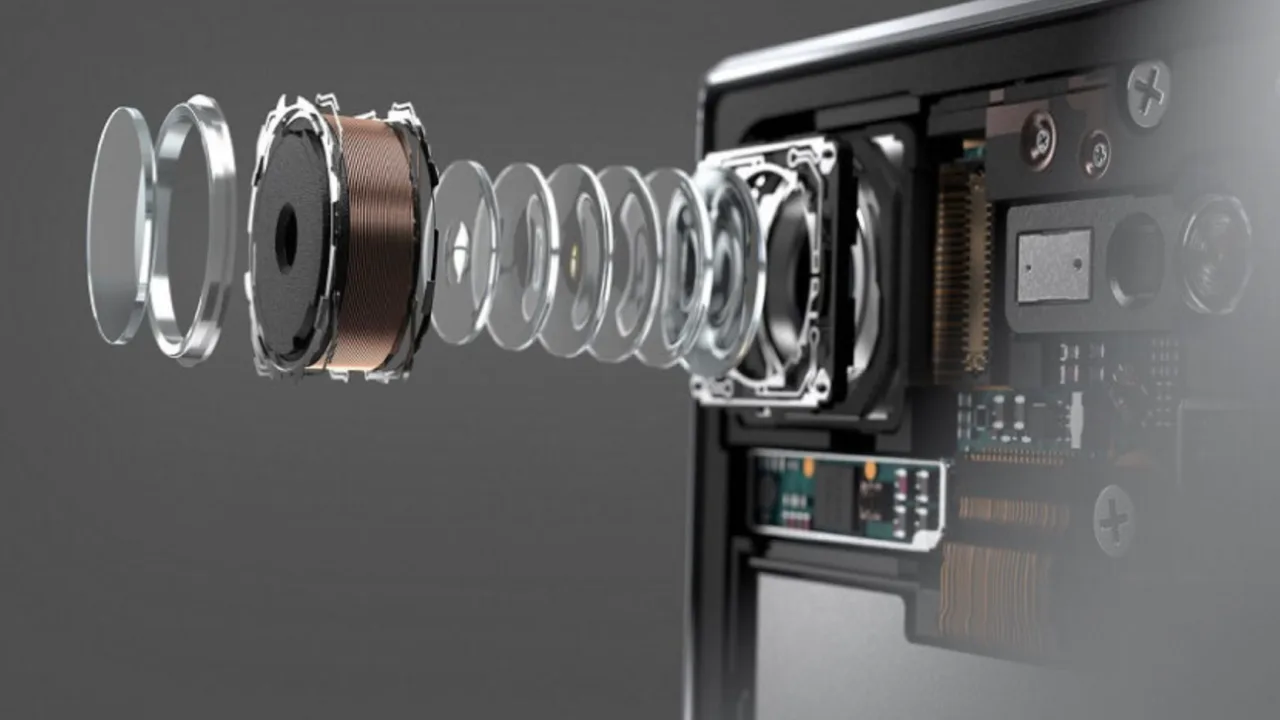
What Your iPhone's Camera Features Mean for Brand Video
From LiDAR to Action mode, Audio Mix, and Dual Capture: which iPhone camera features actually improve brand video, and which ones you can ignore.
Every September, Apple announces a longer list of camera features. Most of them will never matter to a brand team collecting video from employees, customers, and fans. A handful matter a lot, and they are often the least flashy ones.
Here is a quick history of the depth sensor we once wrote about, then a practical look at what the current iPhone Pro camera does that actually improves brand video.
Time-of-flight, LiDAR, and what it really changed
Years ago, we wrote about time-of-flight sensors coming to iPhone. Apple first shipped one in March 2020, when it added a LiDAR Scanner to iPad Pro. Apple described it as using direct time-of-flight to measure reflected light from up to five meters away.
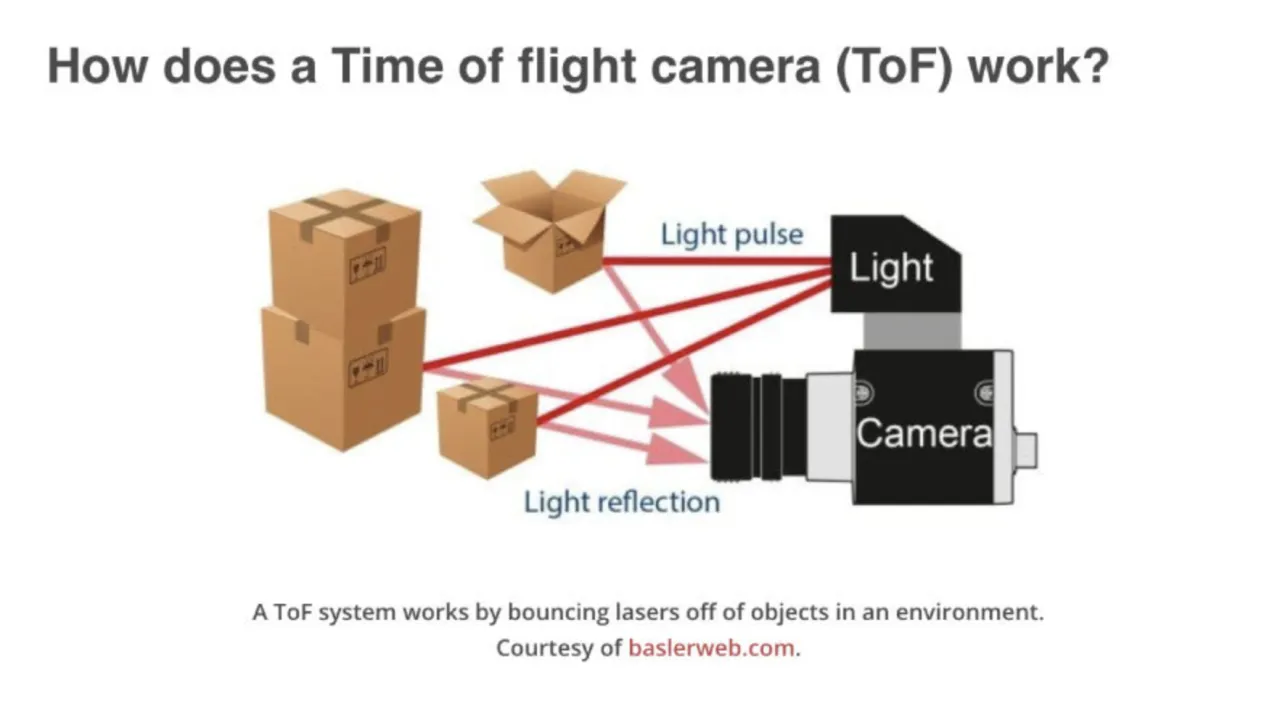
That October, the LiDAR Scanner came to iPhone 12 Pro and iPhone 12 Pro Max. Apple said it improved autofocus by up to 6x in low-light scenes, enabled Night mode portraits, and made augmented reality faster and more realistic.
That is the honest scorecard. LiDAR did not reinvent phone video. It made focus quicker and more reliable in dim rooms and helped with depth effects. It is still listed on the iPhone 18 Pro. The bigger gains for everyday video came from elsewhere: stabilization, audio, and cameras that fit how people actually film.
The features that matter most for brand video
These are from Apple's specs for iPhone 18 Pro, announced September 9, 2026. Many also appear on iPhone 17 Pro.
Stabilization that forgives shaky hands
Action mode, which Apple built to smooth out significant shakes, motion, and vibration, records up to 2.8K at 60 fps. It is useful when someone films while walking, at an event, or on the move. The main camera also has second-generation sensor-shift optical image stabilization. For someone who has never filmed before, this is the difference between a usable clip and a seasick one. Our guide to filming B-roll editors can actually use covers the rest of staying steady.
Audio tools that save interviews
The iPhone 18 Pro has four studio-quality mics, wind noise reduction, and Audio Mix, which lets you adjust sound after you record to focus on the voice of the person on camera. Apple says Audio Mix on iPhone 18 Pro has new algorithms for higher-quality voices and can now isolate music. None of this replaces getting close to the speaker in a quiet room, but it rescues more outdoor and event footage than it used to. For sit-down interviews, our ABCDE checklist still applies.
A front camera built for talking to the lens
The 18MP Center Stage front camera uses a square sensor, so it can capture high-resolution video in either orientation without turning the phone, and it records ultra-stabilized video. For testimonials and "here is what I think" clips, where people film themselves, this is the camera doing the work.
Dual Capture for reaction plus context
Dual Capture records the front and rear cameras at the same time, up to 4K Dolby Vision at 30 fps. A customer can react on camera while showing what they are looking at. An employee can explain a process while the rear camera shows their hands doing it.
Zoom range without a lens bag
The Pro cameras offer 8x optical-quality zoom and a 16x optical-quality zoom range overall. That means a filmer can get a clean detail shot or an establishing wide from where they stand.
Features that are nice, but rarely decide the outcome
- 4K at 120 fps. Great for slow motion of a pour, a jump, or a product moment. For most talking clips, 4K at 30 or 60 fps is plenty and makes smaller files.
- Cinematic mode. Records up to 4K at 60 fps with a depth effect and automatic focus changes, and iPhone 18 Pro can now apply Cinematic effects after capture. Use it for B-roll, not for every shot.
- Variable aperture and Pro controls. The iPhone 18 Pro main camera can move between f/1.48 and f/4, and new Pro controls in the Camera app let you adjust aperture, shutter speed, and white balance or check a histogram. Useful for experienced shooters. Most filmers are better served by good light and letting the phone expose.
- ProRes RAW, Apple Log 2, and genlock. Apple says iPhone 17 Pro was the first smartphone to support all three. They matter to professional crews doing color grading or multi-camera sync. For social video from your community, they add file size and work without much visible benefit.
What this means when real people film for you
The people filming for your brand will have a mix of phones, old and new. The features above help, but the basics decide whether a clip survives: light on the face, a steady frame, clear audio, and a shot that answers the brief. A great camera in the wrong spot still produces an unusable take.
That is where coaching matters more than hardware. In Cinebody, people film from a link with no app download, and Cinebody checks framing, light, focus, steadiness, and audio live while they shoot, whatever phone they are holding. Every clip also gets a Proof of Capture recording when it arrived and the phone it came from.
Camera makers are moving in the same direction on proof. Apple's new Reference Image on iPhone 18 Pro signs sensor data at capture, though it covers photos only for now. We broke down what Apple Reference Image does and does not prove.
Sources
- Apple Newsroom: Apple unveils new iPad Pro with LiDAR Scanner (March 2020)
- Apple Newsroom: Apple introduces iPhone 12 Pro and iPhone 12 Pro Max (October 2020)
- Apple Newsroom: Apple unveils iPhone 13 Pro and iPhone 13 Pro Max (September 2021)
- Apple Newsroom: Apple debuts iPhone 14 Pro and iPhone 14 Pro Max (September 2022)
- Apple Newsroom: Apple debuts iPhone 16 Pro and iPhone 16 Pro Max (September 2024)
- Apple Newsroom: Apple unveils iPhone 17 Pro and iPhone 17 Pro Max (September 2025)
- Apple Newsroom: Apple debuts iPhone 18 Pro and iPhone 18 Pro Max (September 2026)
- Apple: iPhone 18 Pro technical specifications